Best Practices for Website Security in 2026: A Practical Guide
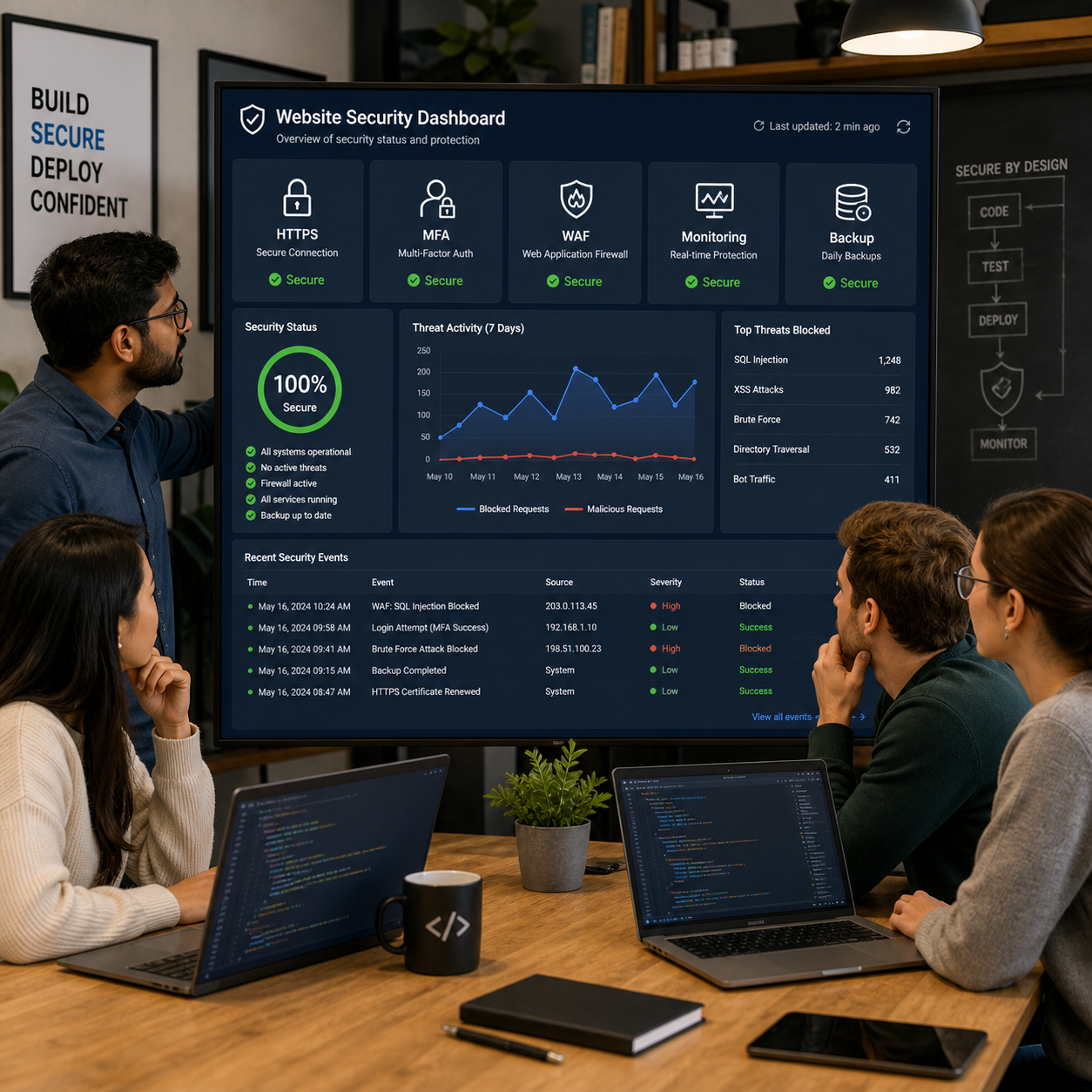
Website security in 2026 requires more than installing an SSL certificate or choosing a reputable host. A secure website combines safe architecture, protected accounts, current software, encrypted data, continuous monitoring, and tested recovery procedures.
Whether you manage a small business website, an ecommerce platform, or a custom web application, the practical goal is the same: reduce preventable vulnerabilities, limit unauthorized access, detect suspicious activity quickly, and restore reliable service when something goes wrong. The following framework separates security into three jobs: prevention, detection, and recovery.
Why Website Security Should Be a Development Priority in 2026
Website security should be a development priority in 2026 because vulnerabilities can expose user data, interrupt services, damage reputation, and create expensive remediation work. Building security into development is usually more effective than trying to repair weaknesses after launch.
Websites now connect content management systems, payment providers, customer databases, analytics tools, APIs, cloud services, and third-party scripts. Each connection can expand the attack surface. A flaw in an outdated plugin, an over-permissioned administrator account, or an insecure API endpoint may affect the entire application.
Security also supports availability and trust. HTTPS protects information in transit, strong authentication reduces account takeover risk, and dependable backups help a business recover from malicious changes or infrastructure failure. These controls protect both the organization and the people using its website.
Risk differs by website type. A brochure site may prioritize CMS hardening and administrator protection, while an ecommerce application needs stronger controls for payment workflows, personal data, session management, and third-party integrations. This is why a risk-based plan works better than copying a generic checklist.
Start With Secure Website Architecture and Development
To start secure website development, define security requirements early, apply secure coding practices, restrict access, manage dependencies, and test every significant change. A secure software development lifecycle, or SSDLC, makes these activities part of normal delivery rather than last-minute work.
Begin by mapping sensitive assets and trust boundaries. Identify administrator functions, customer data, authentication flows, APIs, file uploads, payment operations, and external services. Developers can then decide where validation, authorization, logging, and encryption are required.
Build security into the SSDLC
- Planning: document likely threats, data-handling requirements, and security acceptance criteria.
- Implementation: validate input on the server, use parameterized queries, encode output, and avoid exposing secrets in source code.
- Review: perform peer code reviews and check dependencies for known vulnerabilities.
- Testing: combine automated scanning, manual review, and controlled security testing before release.
- Deployment: separate development, staging, and production credentials and restrict administrative access.
Access control deserves special attention. Every sensitive action should verify both identity and permission. Use least-privilege permissions so an editor cannot change billing settings and an application process cannot access unrelated production systems.
Use the OWASP Top 10 as a practical risk reference. It highlights recurring categories such as broken access control, injection, insecure design, security misconfiguration, vulnerable components, and authentication failures. The list is a starting point, not a substitute for application-specific threat modeling.
Protect Accounts, Admin Areas, and User Data
Protect accounts and user data with multi-factor authentication, role-based access, secure password handling, protected sessions, and encryption. These controls reduce the impact of stolen credentials and limit what an intruder can do after gaining access.
Enable multi-factor authentication (MFA) for administrators, developers, hosting accounts, and other high-impact services. Hardware security keys or authenticator applications generally provide stronger protection than text messages, although any additional factor is better than a password alone when stronger options are unavailable.
Use unique passwords stored with a reputable password manager. Applications should never store plaintext passwords. Password hashing should use a modern adaptive algorithm such as Argon2id, bcrypt, or scrypt, with sensible rate limits for login attempts and password-reset requests.
Role-based access control should reflect real job responsibilities. Review administrator accounts at least quarterly and remove former employees, unused service accounts, and unnecessary privileges. Secure sessions with short-lived tokens where appropriate, HTTPS-only cookies, the Secure and HttpOnly attributes, and suitable SameSite settings.
Data encryption has two main jobs. TLS encrypts data moving between browsers, APIs, and servers, while encryption at rest protects stored databases, backups, and sensitive files. Encryption does not fix excessive data collection, weak authorization, or exposed keys, so key management and access policies matter just as much.
Keep CMS Platforms, Plugins, Frameworks, and Dependencies Updated
Keep CMS platforms, plugins, frameworks, libraries, and server components updated through a documented patch-management process. Current software closes known weaknesses and reduces the attack surface created by abandoned or unnecessary components.
Maintain an inventory of every component, its version, owner, and update source. Subscribe to vendor security advisories and define response priorities. A remotely exploitable vulnerability in an internet-facing plugin deserves faster attention than a low-risk package used only in a local development environment.
For WordPress, Drupal, Joomla, and other CMS platforms, update the core system, themes, plugins, extensions, and administrative tools. Use reputable vendors, verify compatibility in staging, and remove software that is inactive rather than merely disabling it. An unused extension can still become a liability if its files remain accessible or it later falls behind on security fixes.
Framework and dependency management should include lockfiles, software composition analysis, and review of transitive dependencies. Automatic updates can be helpful for low-risk components, but critical websites should test changes before production deployment. The trade-off is straightforward: delaying patches reduces short-term compatibility risk while increasing exposure time to known flaws.
Add Preventive Website Security Controls
Add preventive controls such as HTTPS with current TLS certificates, a web application firewall, secure headers, rate limiting, bot protection, and strict input validation. These layers do not replace secure code, but they can block or contain common attacks.
Configure HTTPS across the entire site, including login pages, APIs, checkout flows, and administrative areas. Redirect HTTP traffic, renew TLS certificates before expiration, and review mixed-content warnings. HSTS can help browsers consistently use HTTPS, but test the policy carefully before applying an aggressive configuration to a complex domain setup.
A web application firewall (WAF) filters HTTP traffic using rules for suspicious requests, automated abuse, and common attack patterns. It can reduce noisy scanning and provide virtual protection while developers fix a vulnerability. However, a WAF may produce false positives, miss business-logic flaws, and require tuning for APIs, file uploads, or unusual application behavior.
Use security headers such as Content-Security-Policy, Strict-Transport-Security, X-Content-Type-Options, and a carefully designed Referrer-Policy. Apply rate limits to login, search, password-reset, and API endpoints. Bot protection can help with credential stuffing and scraping, but it should preserve access for legitimate users and assistive technologies.
Server-side validation remains essential. Treat browser-side validation as a usability feature, not a security boundary. Check type, length, format, ownership, and authorization for every request, especially where the application handles uploads, redirects, database queries, or account changes.

Monitor, Back Up, and Test Website Security Continuously
Monitor logs, back up critical data, scan for vulnerabilities, test recovery, and review security controls regularly. Continuous security turns an unknown incident into a detectable event with a defined response.
Centralize useful logs from authentication, administrator actions, WAF events, application errors, file changes, and infrastructure access. Alert on unusual patterns such as repeated failed logins, sudden privilege changes, new administrator accounts, unexpected configuration edits, or large data exports. Keep timestamps consistent and protect logs from unauthorized alteration.
Backups should be automated, encrypted, access-controlled, and separated from the production environment. Keep multiple recovery points, including an offline or immutable copy where practical. A backup is only useful if it can be restored, so perform scheduled restoration tests and record how long recovery actually takes.
Use vulnerability scanning for routine checks and penetration testing for deeper assessment. Scanners find known patterns and outdated components; experienced testers can examine authorization logic, workflow abuse, and configuration weaknesses. Test staging environments safely, obtain written authorization, and avoid unplanned testing against production.
Create an incident response plan with named owners, escalation contacts, containment steps, evidence-preservation guidance, customer communication procedures, and recovery priorities. After an event or serious near miss, review the root cause and update code, permissions, monitoring, and processes rather than simply restoring the affected page.
Website Security Checklist for 2026
Use this website security checklist for 2026 as a repeatable baseline, then adapt it to your CMS, framework, data, integrations, and risk profile.
Setup and architecture
- Map sensitive data, public services, administrator areas, APIs, and third-party integrations.
- Use HTTPS and current TLS certificates across all routes.
- Separate development, staging, and production environments.
- Define least-privilege roles and protect secrets outside source code.
Development and release
- Follow SSDLC practices and review the OWASP Top 10 during design and testing.
- Validate input on the server and enforce authorization for every sensitive action.
- Scan dependencies and review code before production releases.
- Test authentication, sessions, file uploads, APIs, and error handling.
Maintenance and prevention
- Patch the CMS, plugins, frameworks, operating system, and dependencies.
- Remove unused extensions, accounts, services, and test data.
- Enable MFA for administrators and other high-value accounts.
- Configure a WAF, rate limits, bot controls, and appropriate security headers.
Monitoring and recovery
- Collect protected logs and configure alerts for high-risk behavior.
- Run encrypted, access-controlled backups on a defined schedule.
- Test backup restoration and document recovery objectives.
- Review vulnerabilities, permissions, and incident procedures at least quarterly.
Small websites can often implement the essentials with a managed CMS, MFA, automatic patch notifications, dependable backups, HTTPS, and a carefully configured WAF. Professional web development services become especially valuable when a site has custom code, regulated or sensitive data, legacy dependencies, repeated security incidents, complex integrations, or no internal security expertise. A qualified team can perform an architecture review, remediate vulnerabilities, improve deployment controls, and provide ongoing maintenance without treating security as a one-time project.
Frequently Asked Questions About Website Security
What is the most important website security practice in 2026?
The most important practice is a layered, risk-based program that combines secure development, MFA, timely patching, encryption, monitoring, and tested backups. No single control prevents every vulnerability.
How often should a website’s software and plugins be updated?
Check for security updates continuously or at least weekly, then apply urgent patches according to their severity and exposure. Test routine updates in staging before production when the website supports important business workflows.
Do small business websites need a WAF and MFA?
Small business websites should prioritize MFA for administrative accounts. A WAF is particularly useful for public CMS sites, ecommerce websites, and applications exposed to frequent automated traffic, although configuration quality matters more than simply enabling a product.
How can developers test a website for security vulnerabilities?
Developers can combine code review, dependency scanning, automated dynamic testing, configuration checks, manual authorization testing, and periodic penetration testing. Test results should become tracked fixes with owners and deadlines.
When should a business hire professional web development services for security?
Hire professional web development services when the website handles sensitive information, uses custom integrations, has legacy code, needs an independent security audit, or cannot maintain reliable patching, monitoring, and recovery internally.