Headless CMS vs Traditional CMS: Which Should You Choose?
Choosing between a headless CMS and a traditional CMS affects how your team creates content, builds digital experiences, and maintains a website. The right content management system (CMS) depends on your publishing workflow, delivery channels, technical resources, and plans for growth.
Neither architecture is automatically better. A traditional CMS may be a practical fit for a team that wants an integrated website and familiar editing tools. A headless CMS can suit projects that need to deliver content across several channels or use a custom front end. Here is how the approaches differ, and how to choose between them.
What is a traditional CMS?
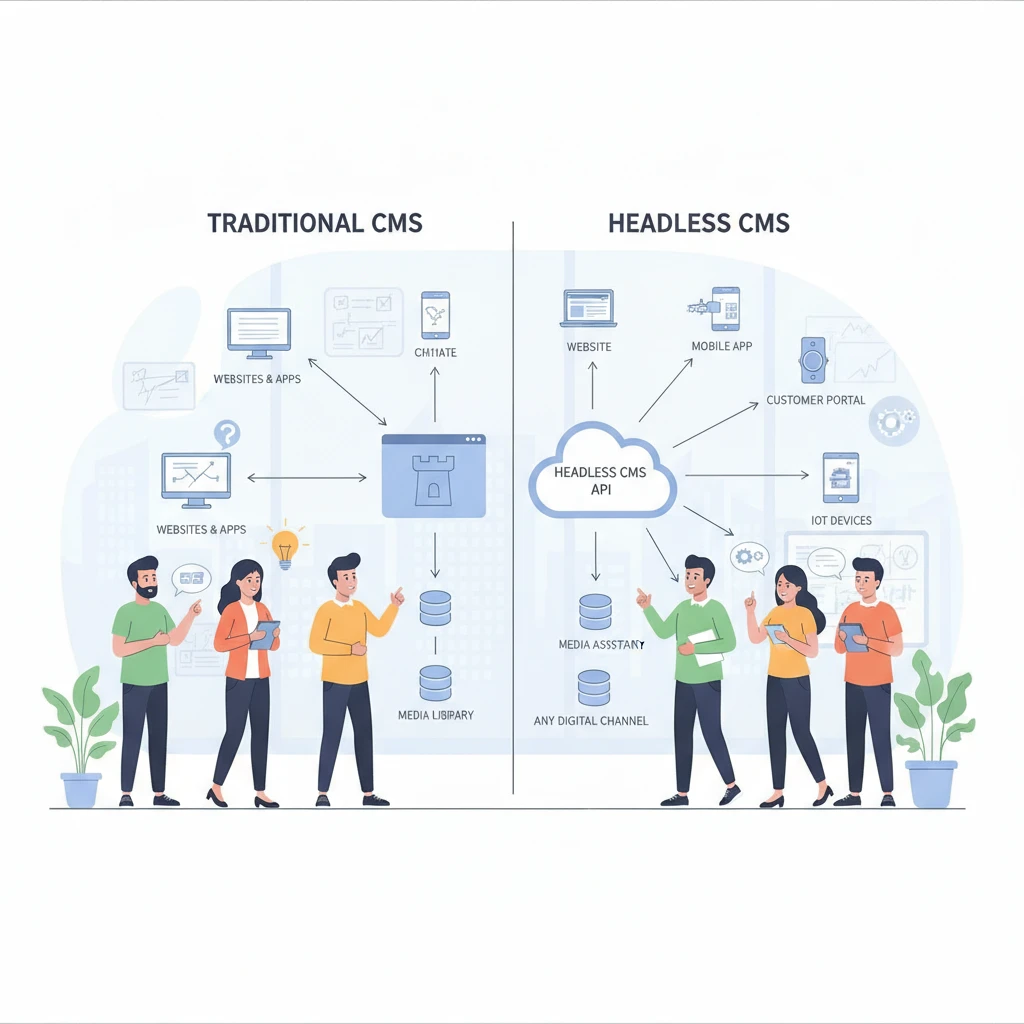
A traditional CMS combines content management and presentation in one system. Editors create and publish content in the back end, while the CMS uses themes or templates to display it on the website’s front end.
This connected setup often gives a team a ready-made publishing workflow: write a page, choose its layout, preview it, and publish. Depending on the platform and configuration, editors may also manage navigation, media, and website settings from the same interface.
Because the front end and back end are closely linked, a traditional CMS can reduce the amount of custom development needed for a conventional website. Templates, extensions, and themes can add features, although extensive customization may require developer support and can create dependencies that need maintenance.
This model tends to work well when a website is the main destination for content and the team values an integrated editing experience. It can be less convenient when the same content must be delivered to a mobile app, in-store display, or other channels with different presentation needs.
What is a headless CMS?
A headless CMS manages content separately from the front end that displays it. It stores and organizes content in a back end, then provides that content through a content API for websites, apps, and other connected experiences.
Editors still use a CMS interface to create and update content. The difference is that the CMS does not dictate how a particular website must present it. Developers build or configure the front end separately, using the API to retrieve the content and render it for each channel.
This separation can support omnichannel delivery: a team may reuse the same product description or article across a website, mobile app, and other digital touchpoints. Content reuse still requires careful modeling. A page designed around one fixed layout may not transfer cleanly to every channel, so teams should plan fields and content types around what they need to publish.
A headless architecture gives developers more control over the presentation layer, but it also means more decisions to make. The website, preview experience, integrations, and publishing workflow may need to be assembled or developed as separate parts. An API is a delivery mechanism, not a complete front-end website.
Headless CMS vs traditional CMS: Key differences
The main difference is architectural: a traditional CMS connects content and presentation, while a headless CMS separates them and delivers content through APIs. That choice affects editing, flexibility, website development, and ongoing support.
- Architecture: Traditional CMS platforms typically provide a built-in connection between content and website templates. Headless CMS platforms expose structured content for one or more separately built front ends.
- Editing experience: A traditional CMS may let editors work in a page layout close to the published site. A headless CMS can offer structured fields and preview tools, but the quality of the experience depends on how the implementation is configured.
- Flexibility: Headless architecture gives developers more choice over front-end technologies and channel-specific presentation. Traditional architecture offers a more integrated starting point, though custom templates and extensions can still support substantial changes.
- Development effort: A traditional website can often use themes and existing publishing features. A headless project needs a front end that consumes the API, along with suitable preview, deployment, and integration workflows.
- Maintenance and scalability: Both systems need updates, monitoring, and support. A traditional CMS concentrates more functionality in one platform; a headless setup spreads responsibility across the CMS, front end, hosting, APIs, and integrations.
The practical comparison is not simply “simple versus flexible.” Consider who owns each part of the system. A connected platform can make routine publishing easier, but constrain some presentation choices. A decoupled system can support varied experiences, but requires clear ownership of more components.
Pros and cons of each approach
A traditional CMS can simplify a website’s content and publishing workflow, while a headless CMS can make content reuse and custom front ends easier to plan. Each benefit comes with a trade-off in control, complexity, or team effort.
Traditional CMS: advantages and limitations
- Advantages: Content tools and website presentation are often integrated, which can help editors preview and publish pages without coordinating separate systems. Themes and extensions may provide a quicker starting point for common website needs.
- Limitations: Presentation is often tied more closely to the platform’s templates. Extensive customizations or numerous extensions can add upkeep, and sharing content with other channels may require additional configuration or development.
Headless CMS: advantages and limitations
- Advantages: A content API can make structured content available to multiple front ends. Developers can choose a presentation approach for each channel and update a front end without necessarily changing the underlying content model.
- Limitations: Building and maintaining the front end, integrations, and editorial preview can take additional work. Editors may find structured entry less intuitive if the content model and publishing tools are not designed around their workflow.
Neither architecture guarantees better SEO, performance, security, or lower cost. Those outcomes depend on implementation: for example, how pages are rendered, how metadata is managed, what security controls are applied, and how much ongoing development the project requires. Compare the actual setup and team responsibilities rather than relying on labels.
Which CMS is right for your project?
A traditional CMS is often a sensible fit when your project centers on one website and needs a straightforward, integrated publishing workflow. A headless CMS is worth considering when content must serve multiple channels or the front end needs greater architectural freedom.
Use these project signals to guide the decision:
- Choose a traditional CMS when editors need to manage pages and layouts in one place, the website is the primary channel, and the team wants to use established templates or platform features.
- Consider a headless CMS when the same structured content needs to reach several digital channels, different channels require distinct front ends, or the development team needs control over the presentation stack.
- Check team capacity first. If developers are not available to build and support a separate front end, the flexibility of a headless setup may come with a difficult operational burden. Conversely, a team with strong development capacity may value that separation.
- Map the editorial workflow. List who writes, approves, previews, and publishes content. Test whether the CMS supports those steps without workarounds, especially if nontechnical staff publish frequently.
For a small organization with a single marketing website, a traditional CMS may offer the most direct route to a manageable publishing process. A business maintaining a website and mobile app from shared product information may have a stronger reason to evaluate headless delivery. These are starting points, not rules: integrations, governance, and staff skills can change the answer.
How to choose and plan implementation
To choose and implement a CMS, document the content workflow, channels, integrations, and support capacity before selecting architecture. Then test the highest-risk publishing and delivery tasks with a small, representative project.
- Set requirements: Identify content types, publishing roles, approval steps, languages, and the channels that need content now or in the foreseeable future. Separate essential requirements from features that would merely be convenient.
- Inventory integrations: List systems such as analytics, commerce, search, customer data, and forms. Confirm how each will connect, who maintains the connection, and whether it must work in the CMS, the front end, or both.
- Model content and preview: For a headless CMS, define reusable content types and verify how editors will preview pages across channels. For a traditional CMS, test the page-building workflow and confirm that templates support the required layouts.
- Plan migration: Audit existing pages, media, metadata, redirects, and outdated content. Decide what to move, revise, or retire; then map fields and URLs before transferring content. A migration that copies every old page without review can carry old structural problems into the new system.
- Assign ongoing ownership: Budget time for platform and dependency updates, backups, access controls, performance checks, and integration maintenance. In a headless setup, define who supports the CMS and each front end; in a traditional setup, clarify responsibility for themes and extensions.
Web development services can help when the architecture is unclear, integrations are complex, or a migration risks disrupting important content and URLs. Ask a development partner to document trade-offs, demonstrate the editor workflow, and estimate both implementation and ongoing support. A short proof of concept can expose practical issues before the team commits to a full build.
Frequently asked questions
Is a headless CMS better for SEO?
No CMS architecture guarantees better SEO. Search visibility depends on how the site handles crawlable pages, metadata, performance, internal links, and other implementation details. Check that the chosen setup supports those requirements before launch.
Is a headless CMS harder to use?
It can be harder to set up because the front end and publishing tools may need separate development. Editors can still have a clear workflow if the content model, preview, and approval process are designed around their needs.
Can a traditional CMS support multiple channels?
Sometimes. Integrations or APIs may let a traditional CMS share content with other channels, but the capabilities depend on the platform and configuration. If omnichannel delivery is central to the project, test the exact publishing workflow rather than assuming it will be seamless.
Can you migrate from a traditional CMS to a headless CMS?
Yes. A migration usually involves mapping content, rebuilding the front end, transferring media and metadata, and planning redirects where URLs change. A staged audit and test migration can reveal content-model or integration issues before the full move.